- Search information about licenses:
1.1 What does GPL license mean?
– GPL stand for General Public License
– This license quarantees end users the freedom to run, study, share and modify the software
1.2 What are the differences between GPL and LGPL?
– LGPL stands for Lesser General Public License
– Basically the difference is LGPL software can be dynamically linked to a portion of a non GPL licensed program. This allows commercial software without the need to publish source code
– LGPL is mainly meant for libraries
1.3 The license logo:

- What does the license mean?
– CC license stands for Creative Commons license
– This is one of many public copyright licenses that enables the free distribution of an otherwise copyrighted work.
– The license is used when author wants to give other people the right to share, use and build upon a work that they have created.
– That license above is named BY, ByAttribution and it means that you can copy, distribute, present and show publicly and you can make derivate works as long as original authors or the owners names are shown correctly. - Which are the license rules?
– CC licenses are easy to use if you remember these following things:
– IT doesn’t need any permissions or registeration
– When you want to publish something with CC license you need to mark the license to your work according to instructions
– When using CC licensed work you need to follow the terms and you need to mention the original author by intructions. - Where did you see it?
– For example I found this license from Xubuntu Documentation pdf.
– “This document is made available under the Creative Commons ShareAlike 2.5 License (CC-BY-SA).”
2. Install Virtual Box and Fedora or Xubuntu Desktop
2.1 What differences are there compared to Ubuntu? Desktop wise. A few
examples.
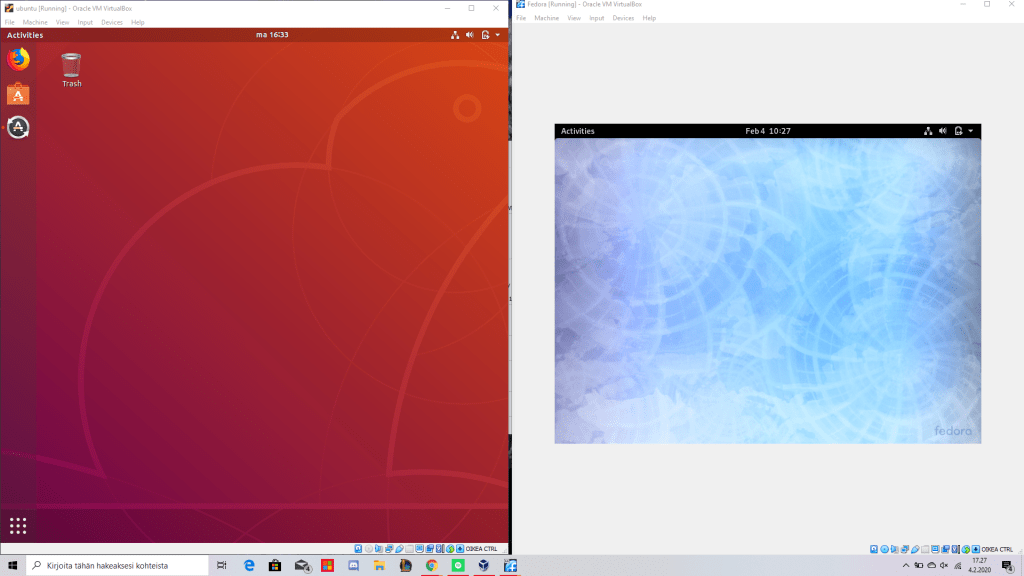
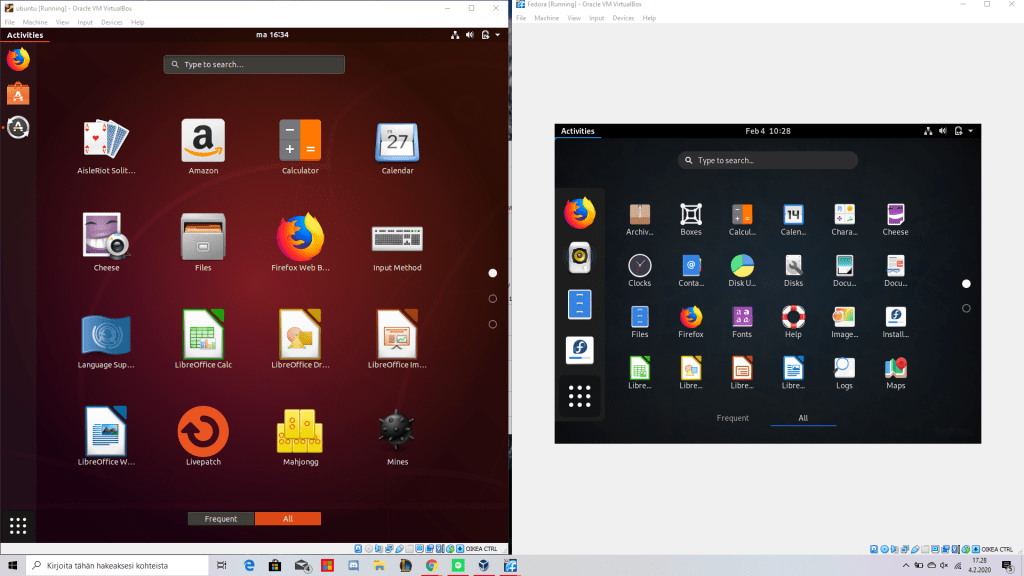
- Here are two main differences that I noticed (shown in above)
– in Fedora you need to press activities first and then you need to press ‘show applications’ and then it show applications, when in Ubuntu you need to press olny at Activities to get applications shown
– The application page is clearly different
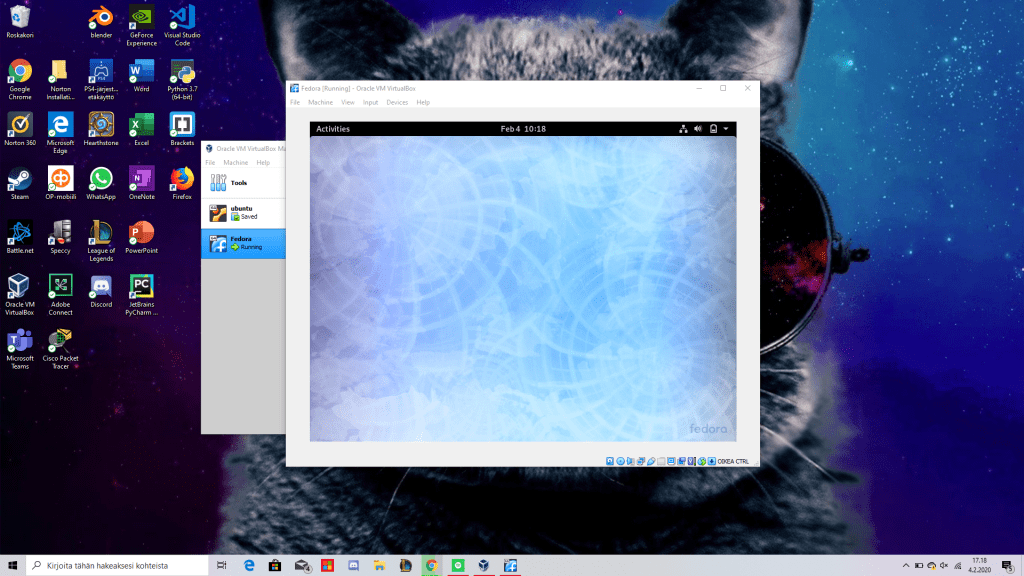
2.2 A screenshot of the screen/desktop
3. Which Linux distros were most used in Jan 2019 (and
today?)?
According to W3Techs the most used distros were:
January 2019 = Ubuntu
2020 = Ubuntu
https://w3techs.com/technologies/history_details/os-linux/all/y
- VirtualBox:
Did you install “Quest additions” to VirtualBox (as
instructed)?
– Yes
What are you able find about those from net? Why it is
good to install Quest additions?
– Because it enables various extra features, including automatic resizing, seamless mode, the bidirectional clipboard, drag and drop. Basically it gives better better performance
– In other words Guest additions help to enhance the overall interactive performance and usability of guest systems.
 LinuxMJ